ZENONIA 1’s store copy claims hundreds of items across multiple tiers and combined skills, gear, and growth. Steam did not publish an item encyclopedia for that claim. What the full release did publish is a quality-of-life list from the Steam Next Fest feedback review: Quick Save on keyboard and gamepad, original-style double-tap dash, equipment comparison UI, batch equipped-gear repair, and separate BGM and SFX sliders. Full mouse control and autosave stay marked Not Possible Right Now.
| Feature | Status | Note |
|---|---|---|
| Quick Save | Shipped in full release | Keyboard plus gamepad; auto-save is not supported. |
| Original-style double-tap dash | Shipped in full release | Press a direction twice; afterimage restored from original. |
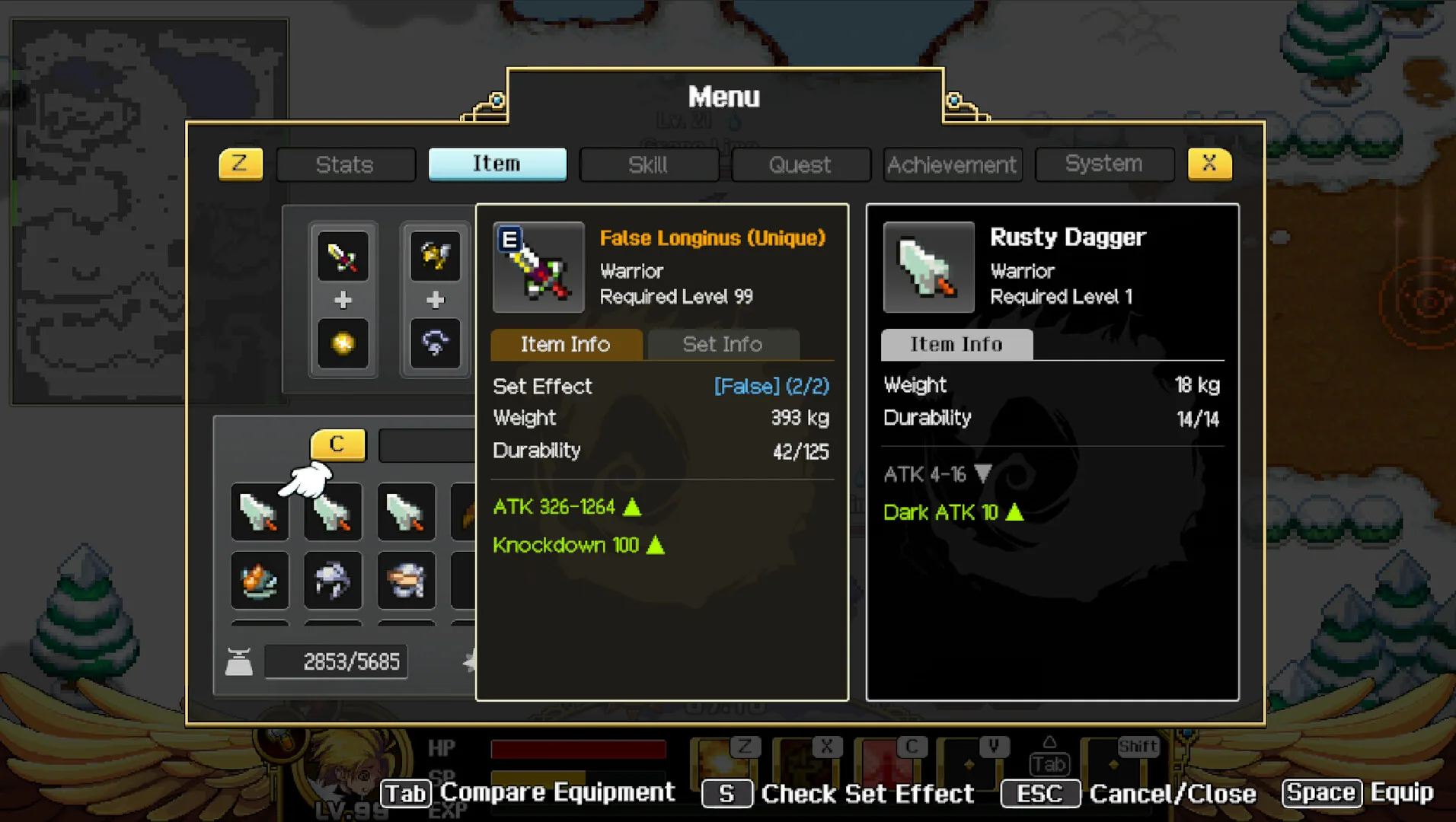
| Equipment comparison UI | Shipped in full release | Stat deltas made readable on PC. |
| Batch equipped-gear repair | Shipped in full release | Blacksmith repairs all equipped gear at once. |
| Separate BGM and SFX sliders | Shipped in full release | Custom volume controls also listed as a Steam category. |
| No full mouse control | Not possible right now | Dev team: current structure cannot implement full mouse support; keyboard and gamepad are the focus. |
| Expanded language support | Shipped in full release | Ten interface languages; more languages may arrive post-launch. |
What the full release actually shipped
Quick Save is the intended save method. Autosave is not supported. The feedback review is the first-party source; the glossary repeats the same pair. Gamepad Quick Save is called out for the full release, not only the keyboard. If you came from a modern ARPG that writes on a timer, turn that habit off before the Cave of Deceit. Save-anytime as a Steam category still means you can write that Quick Save yourself; it is not a hidden autosave with a friendlier name.
Original-style double-tap dash: press a direction twice; the afterimage from the mobile original is restored. Demo players asked; the team answered in the Coming at Full Launch bucket and then shipped it. Equipment comparison UI makes stat deltas readable on PC. The catalog still on this page shows a Unique False Longinus compared with a Rusty Dagger, Warrior required, level 99, 393 kg, ATK 326–1264, pack weight 2853/5685, and a Tab Compare Equipment prompt. That crop is the comparison UI, not a drop table. Keep the kilogram number in view when you decide what to salvage on the comparison screen before selling extra blades today.
Batch equipped-gear repair lets a blacksmith repair all equipped gear at once. Separate BGM and SFX sliders match the Steam category Custom Volume Controls. Ten interface languages shipped; more languages may arrive post-launch, per the same news post. German and Portuguese-Brazil exist on Steam but are not locales of this wiki.
Mouse, autosave, and the missing item dump
Full mouse control is explicitly not possible in the current structure. The team wrote that keyboard and gamepad are the focus. Steam still lists Keyboard Only Option and Full controller support. Do not buy the SKU expecting click-to-move. The hunger flask, weight hammer, and clock remain HUD systems regardless of device.
Hundreds of item tiers is a store sentence, not a spreadsheet. This page records systems and QoL. It does not invent upgrade formulas, set bonuses, or a searchable armory. When a comparison UI shows a named unique, that name is evidence of the UI, not a promise that every unique is listed here. The False Longinus versus Rusty Dagger crop is useful because it shows required class, required level, kilogram weight, an ATK range, and the pack fraction 2853/5685 in one official still. That is as close as Steam got to publishing a gear row, and it is enough to take the comparison UI seriously without building a fake database around it.
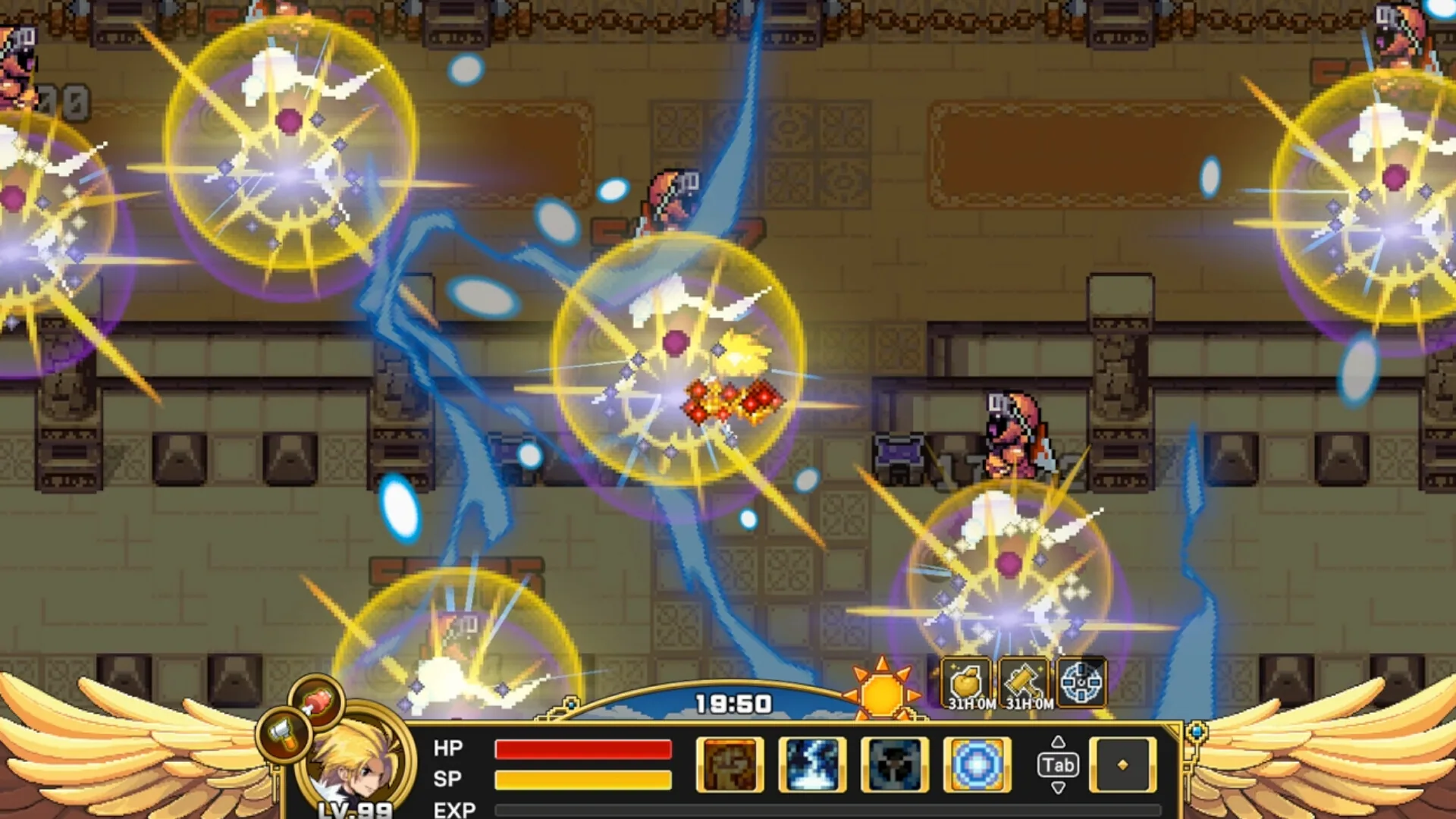
Weight and hunger still gate what you carry after the QoL pass. Batch repair does not batch-cook. Compare gear, dash, Quick Save, then pack food. Read those survival rules on Hunger, Weight & Clock. The explosions still on this page is the growth exclusive combat crop; the catalog still is the comparison UI. Together they show what PC restoration actually changed: readable deltas and a HUD that still cares about kilograms. Keyboard-only and full controller support are Steam categories, not mouse support. If you need the exact feedback-review wording, the dated post is linked from Dev Notes rather than paraphrased twice here. Ten interface languages shipped with the SKU; extra languages after launch are a news promise, not a second storefront.
Classes still only have one official sentence each
PC convenience does not add a skill tree. Warrior remains balanced and resilient, Paladin defensive and reliable, Assassin fast and lethal. The desert combat crop shared with the class page is a combat still, not a damage formula. Customizable stats and gear sit on top of those blurbs.
If you need the localized class names, use Classes. If you need the first hour path that these QoL features do not shorten, use First Adventure. Demo saves still do not carry over after Quick Save exists; Quick Save is a full-release control, not a demo importer. The feedback review’s four buckets — Already Implemented, Coming at Full Launch, Under Review, Not Possible Right Now — are how the team sorted mouse, autosave, dash, compare, batch repair, and volume sliders. Read the dated posts on Dev Notes if you want the original wording rather than this compressed list. None of those convenience features replace hunger, weight, or the clock; they sit beside them on a PC keyboard and a gamepad.
Official sources
Last updated: 2026-08-31